

Download MarsEdit – Desktop Blog Publisher, Offline Editing, Multi‑Platform Support
Overview
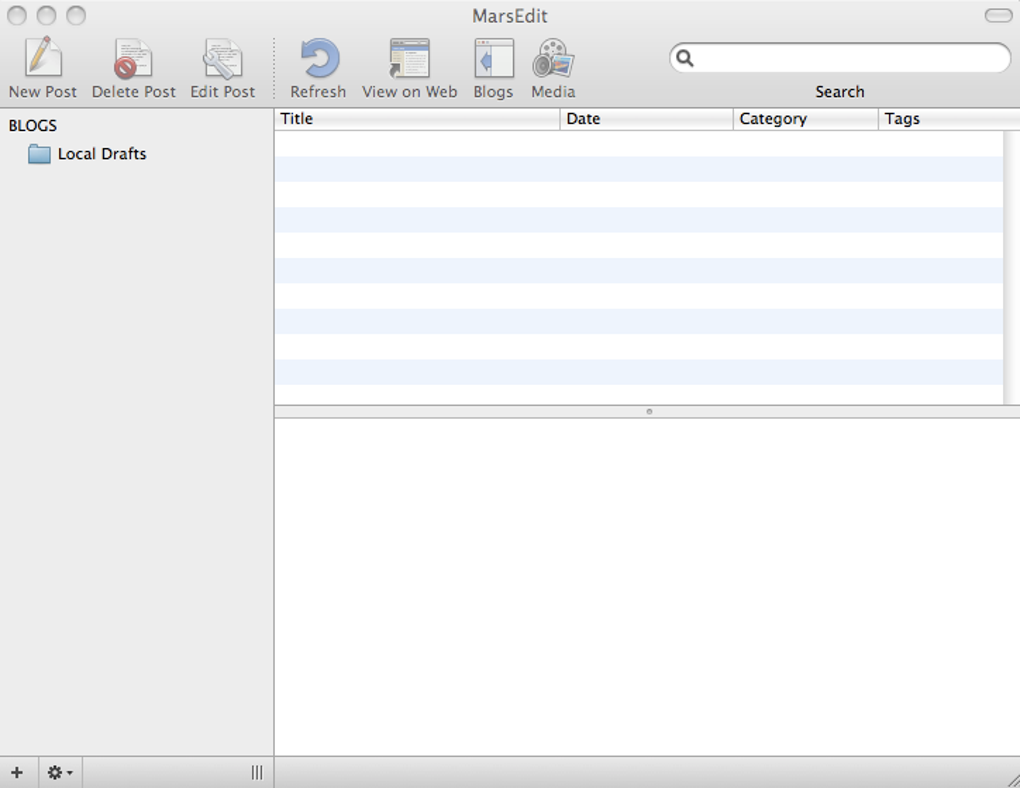
MarsEdit is a powerful desktop blog publishing tool that lets writers and marketers create, edit, and publish posts without ever leaving their Mac or Windows workstation. Designed for professionals who manage multiple blogs, MarsEdit removes the need to jump between web dashboards by centralising every CMS—WordPress, Blogger, TypePad, Drupal, Movable Type and more—into a single, clean interface. The moment you launch the app, you’re prompted to enter your blog URL, and MarsEdit automatically discovers the correct connection settings, saving you time and eliminating configuration errors.
Its offline‑first philosophy means you can draft articles on a train, a coffee shop, or a remote cabin, then push them live with a single click when you regain internet access. Built on native macOS technologies and now compatible with Windows through a dedicated installer, MarsEdit offers a secure, update‑driven experience that respects your privacy—no data is sent to third‑party servers unless you explicitly publish a post. Whether you’re a solo blogger, a content agency, or a corporate communications team, MarsEdit provides a focused, distraction‑free environment that streamlines the entire publishing workflow.
Key Features & Publishing Power
- Multi‑CMS Support: Seamlessly connect to WordPress, Blogger, TypePad, Drupal, Movable Type and other platforms from one dashboard.
- Offline Editing: Write, format, and organise posts without an internet connection; sync automatically when you’re back online.
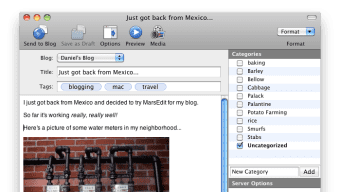
- Instant Preview: See exactly how your article will appear on the live site, including custom CSS, before publishing.
- Media Management: Drag‑and‑drop images, videos, and audio clips; integrate directly with Flickr to pull photos from your library.
- Re‑Blog It! Shortcut: Capture web pages or snippets and publish them instantly with a single button, mirroring WordPress’s PressThis! feature.
- Smart Category & Tag Assignment: Assign categories, tags, author, and post date from within the editor, matching your CMS’s taxonomy.
- AppleScript Extensibility: Extend functionality with custom scripts; a built‑in library provides ready‑made tools for power users.
- Secure Updates: Automatic, signed updates keep the software current without compromising security.
- Cross‑Platform Consistency: Identical workflow on macOS and Windows, ensuring teams can collaborate regardless of OS preference.
Beyond the core feature set, MarsEdit’s minimalist design encourages concentration. The toolbar is uncluttered, and the markdown‑compatible editor supports rich text, tables, and embedded code blocks. Because the app runs locally, it’s faster than web‑based editors, and you avoid the latency of loading remote dashboards. The built‑in scheduler lets you set future publish dates, and the revision history tracks every change, giving you peace of mind when handling critical content. For agencies that manage dozens of blogs, the bulk‑edit mode lets you update categories or tags across multiple drafts in seconds, dramatically reducing repetitive tasks.
Installation, Setup & Compatibility
Getting started with MarsEdit is intentionally straightforward. Visit the official website, click the Download MarsEdit button, and choose the installer for your operating system. The macOS version comes as a signed .dmg file, while Windows users receive a standard .exe package. Both installers are free to download, and the trial period provides full access to every feature for 30 days. After the trial, a single‑purchase license unlocks the app permanently—no subscription required.
During installation, the wizard guides you through standard steps: accept the license agreement, choose the destination folder, and optionally add MarsEdit to the system startup items. Once installed, launch the application and you’ll be greeted by the Account Setup wizard. Enter the URL of the blog you wish to manage; MarsEdit instantly queries the site, determines the CMS type, and fills in the API endpoint, username, and password fields. If you use two‑factor authentication, the wizard supports token entry or OAuth flows for WordPress.com and Blogger.
Compatibility details are as follows:
- macOS 11 (Big Sur) or later
- Windows 10 (64‑bit) or later
While MarsEdit does not have native Android or iOS versions, its web‑based preview can be accessed from any mobile browser, allowing you to verify how a post looks on tablets or phones. The application also respects system‑wide proxy settings, making it suitable for corporate environments with strict network policies. After connecting an account, you can import existing drafts, schedule future posts, or start a brand‑new article from scratch. The editor autosaves every few seconds, so you never lose work due to a crash or power loss. Finally, the built‑in update checker notifies you of new releases; clicking “Update” downloads a signed package and installs it without requiring admin privileges on macOS, and with a single click on Windows.
Pros, Cons & Frequently Asked Questions
Pros
- Intuitive, distraction‑free interface that speeds up writing.
- Robust offline support—draft anywhere, publish later.
- Wide CMS compatibility reduces the need for multiple tools.
- Powerful media handling, including direct Flickr integration.
- Secure, one‑time purchase eliminates recurring fees.
Cons
- No native Android or iOS app for on‑the‑go publishing.
- Advanced SEO settings (meta descriptions, schema) must be handled inside the CMS.
- Limited built‑in analytics; you rely on the host platform for stats.
- Some users report a learning curve when customizing AppleScripts.
FAQ
Can MarsEdit publish to multiple blogs at the same time?
Yes. You can add as many blog accounts as you need, switch between them with a dropdown, and even bulk‑edit drafts across different platforms.
Is there a free version of MarsEdit?
MarsEdit offers a 30‑day free trial with full feature access. After the trial, a one‑time license purchase unlocks the software permanently; there is no ongoing subscription.
How does MarsEdit handle image optimisation?
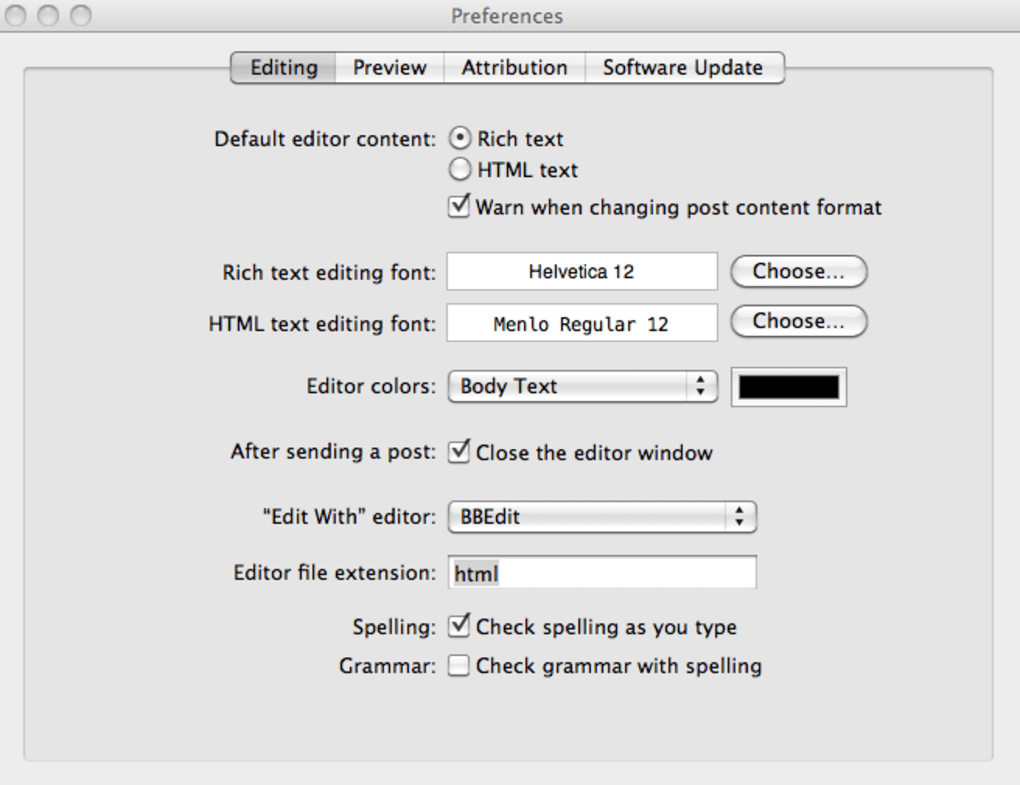
When you drag an image into the editor, MarsEdit automatically resizes it to the dimensions you set in Preferences and adds alt‑text fields. For advanced optimisation, you can run an AppleScript or external tool before insertion.
Can I schedule posts for future publication?
Absolutely. The scheduling feature works with all supported CMS platforms, allowing you to pick a date and time that suits your editorial calendar.
Is my data safe when using MarsEdit?
MarsEdit stores drafts locally on your computer and only transmits data to the blog’s API over HTTPS. The app is signed by the developer, and updates are cryptographically verified to prevent tampering.
Conclusion & Call to Action
For anyone who writes regularly, manages several blogs, or simply prefers a desktop‑centric workflow, MarsEdit delivers a polished, secure, and feature‑rich environment that rivals any web‑based editor. Its offline capability, broad CMS support, and intuitive media handling make it a must‑have tool for content creators who value speed and reliability. While the lack of native mobile apps may be a drawback for some, the desktop experience more than compensates with its stability and depth. If you’re ready to streamline your publishing process, download MarsEdit today and take advantage of the 30‑day free trial. Experience the freedom of writing wherever you are, and push your posts live with confidence—no more juggling dashboards, no more missed deadlines.







